
Run your activity business.
Let tourists book it.
Manage excursions, diving, watersports, bookings, trips, boats, maintenance, your team and finances from one connected platform — while tourists request, negotiate and join Shared Trips on your own booking page when Pro or a trial is active.
Running activities shouldn't feel like chasing chaos.
Small operators lose too much time to messages, missing numbers and forgotten maintenance.
WhatsApp chaos
Bookings, team changes and prices scattered across dozens of chats.
Paper & spreadsheets
Notebooks on the boat, Excel on shore — and nothing matches.
Forgotten maintenance
Services and repair costs tracked in someone's head. Until something breaks.
One calm dashboard for your whole operation.
Replace scattered chats, notebooks and spreadsheets with one mobile-first platform for customer bookings and daily operations.
- Bookings and operational Trips kept clearly connected
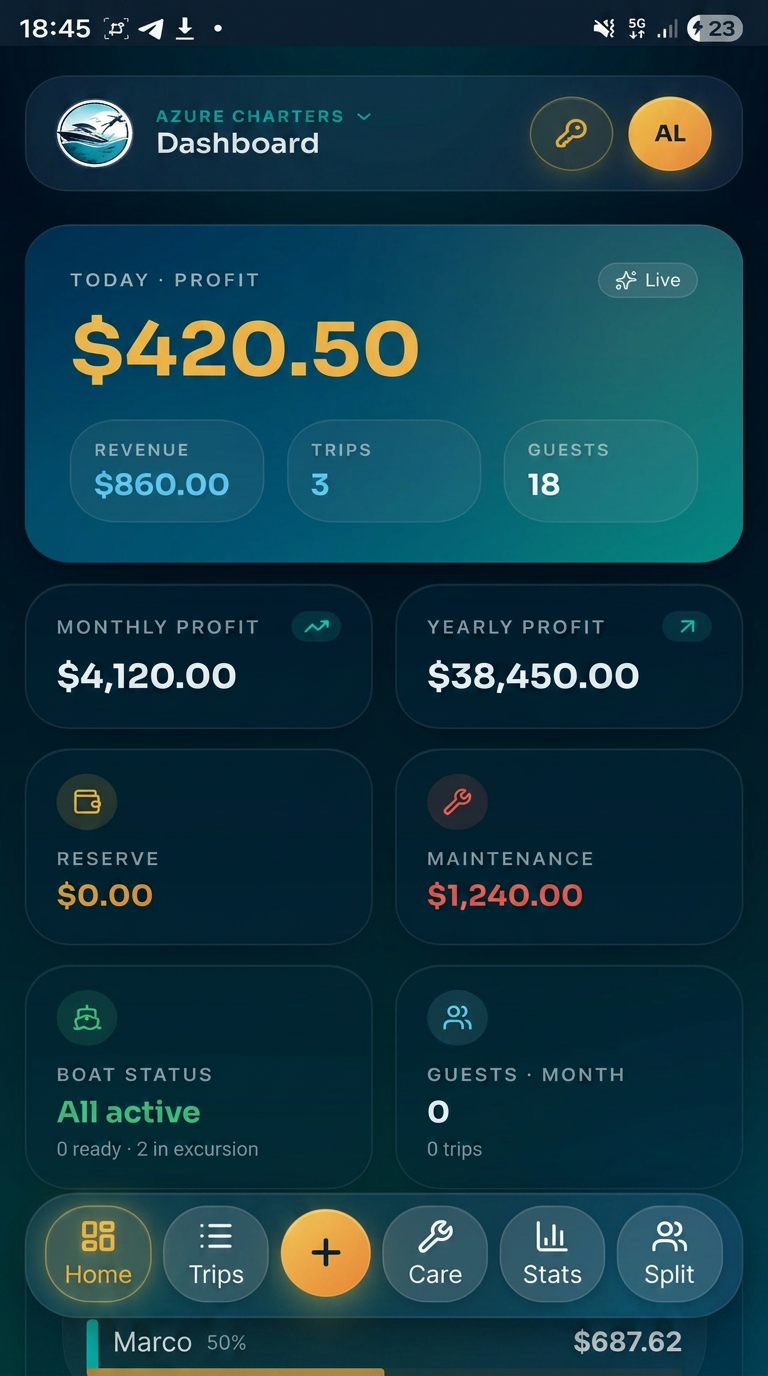
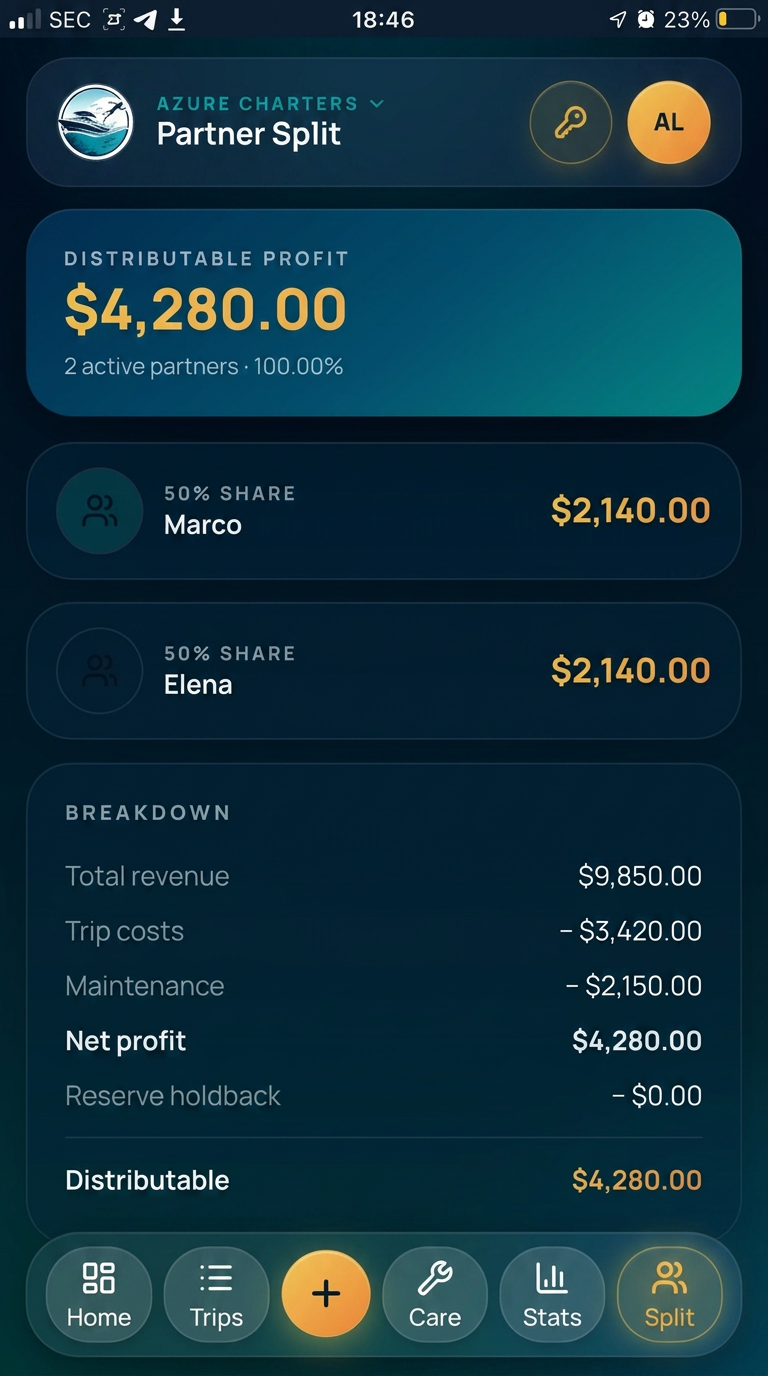
- Payment status, revenue, costs and flexible Profit Split
- Boats, maintenance expenses and a Maintenance Reserve
- Excursions, Diving and Watersports in one workspace
- Team roles with different levels of access
From tourist discovery to completed trip.
Create and share activities, negotiate requests, run confirmed bookings and open eligible bookings for joining — without any step happening automatically.
Create your activities
Set up excursions, dive or watersports activities with photos, capacity and booking details.
Share your booking page
Publish your provider page by link or QR code with Pro or an active trial.
Receive requests and negotiate
Accept, decline, counter or close requests — including Request a Price and Make an Offer.
Run the trip
After the start, mark it Took Place to create the operational Trip, or Did Not Take Place.
Open eligible bookings for joining
Turn an eligible confirmed booking into a Shared Trip when you want to offer remaining capacity.
A booking experience built for tourists.
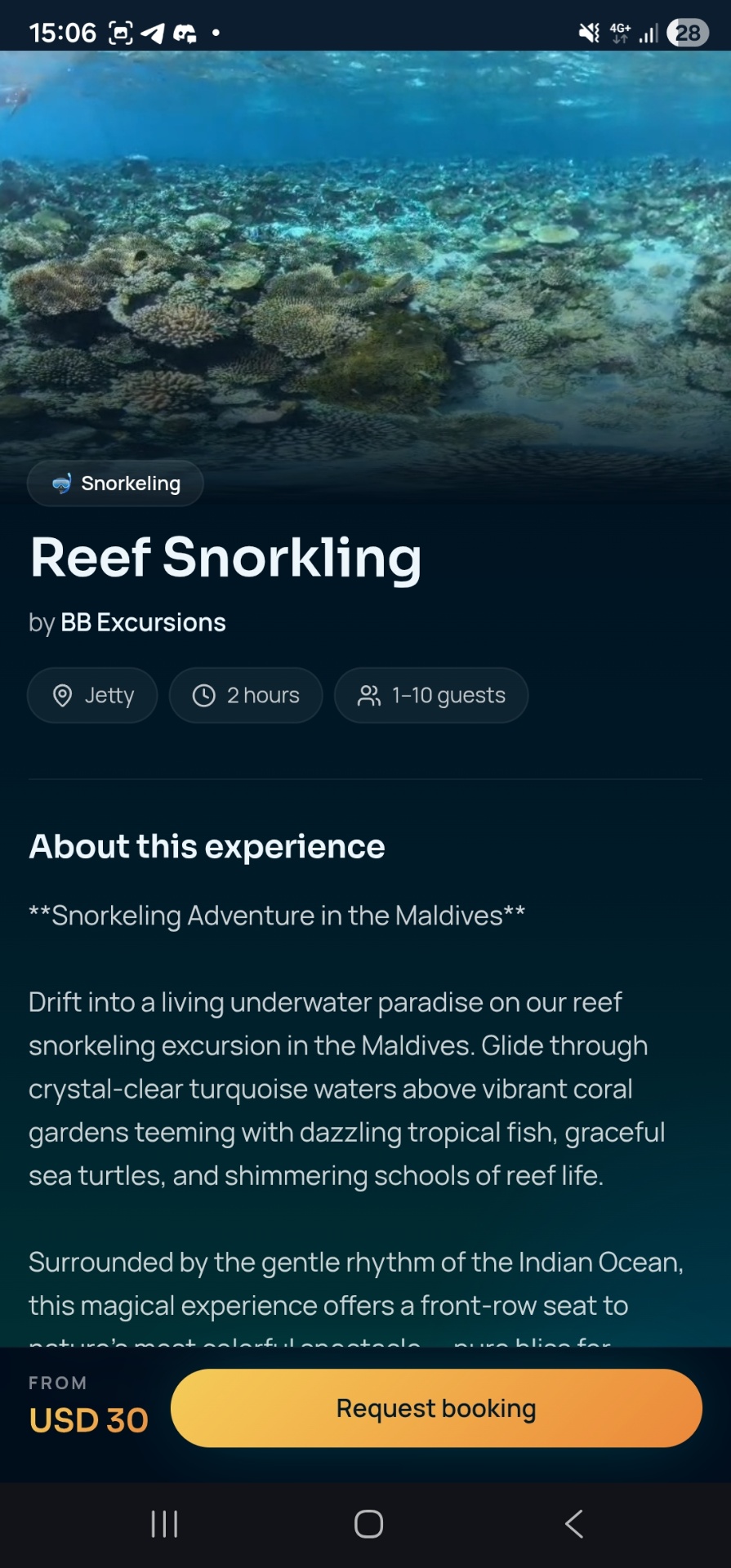
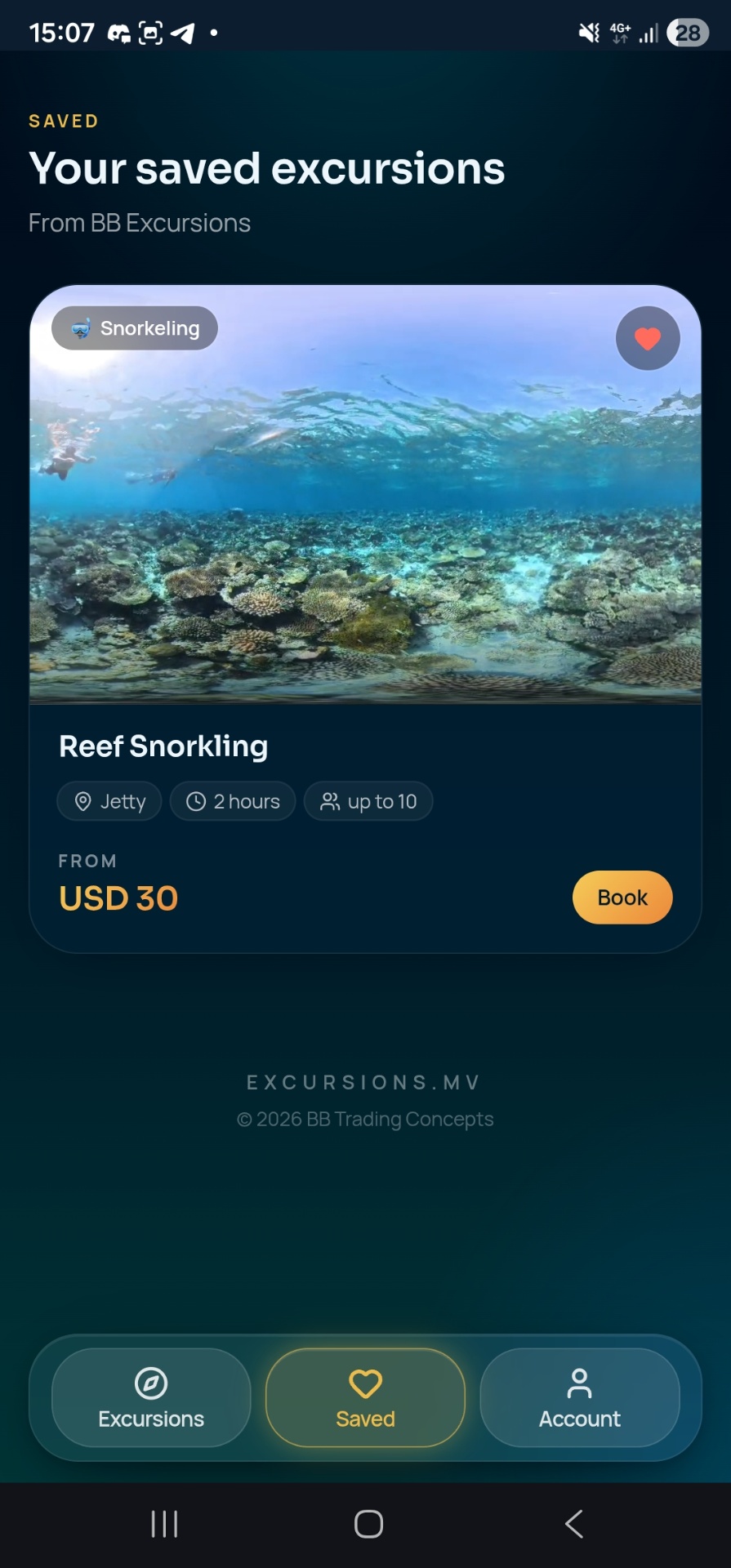
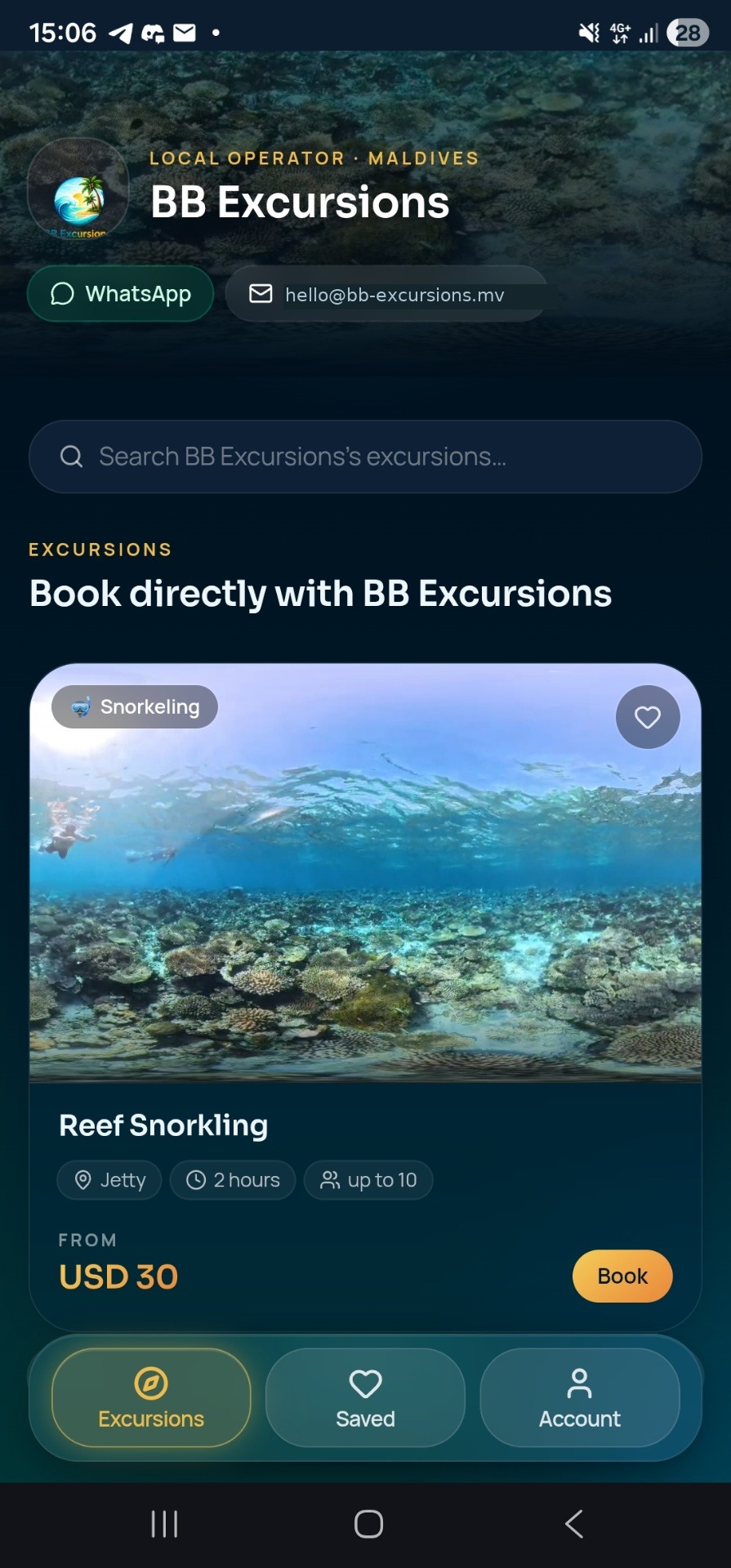
Tourists open your own provider page and browse the Excursions, Diving and Watersports you publish — each with a booking flow that fits the activity, from price negotiation to a combo or a Shared Trip join request. It is your page, not a marketplace of competing providers.
The public page is live with Pro or during an active 7-day trial. Free includes its configuration and preview.
Independent operators run the excursions listed on EXCURSIONS.MV. Excursion Manager and EXCURSIONS.MV provide the booking-request software; the excursion, safety, pricing and fulfillment are the responsibility of the individual provider. The example shown is an operator page using the platform.
- Browse the provider's Excursions, Diving and Watersports
- Category-specific booking flows
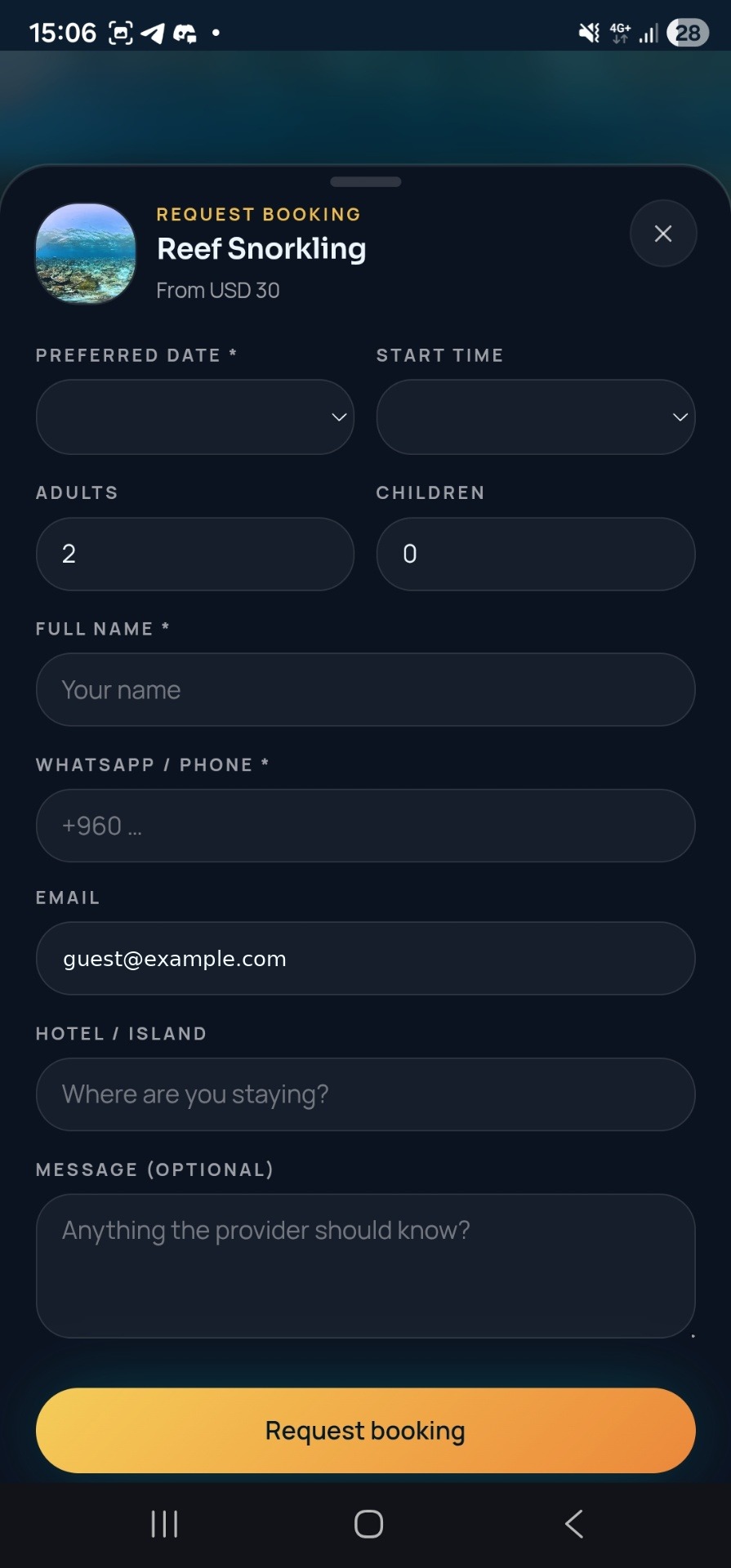
- Choose guests and a preferred date
- Request a Price or Make an Offer
- Accept, decline or counter provider offers
- Edit or withdraw eligible requests
- View and cancel their own bookings
- Discover and request to join Shared Trips
- Create eligible excursion combos
- Use the built-in tourist help assistant
Not every booking needs a fixed price.
Let guests Request a Price or Make an Offer. Operators can negotiate from Excursion Manager without moving the conversation across multiple tools.
Request a Price
The tourist asks the provider to propose a price for the requested activity.
Make an Offer
The tourist proposes a price, and the provider responds according to the booking state.
Fill more seats with Shared Trips.
Turn eligible confirmed bookings into joinable Shared Trips and offer remaining capacity to additional tourists. Shared Trip management is included in Free; a live public page for tourist discovery requires Pro or an active trial.
- Open an eligible confirmed booking for joining
- Open or close joining at any time
- Guests discover joinable trips on your provider page
- Additional groups request to join
- Pending groups don't reserve capacity
- Capacity is checked before confirmation
- Assign a suitable boat for the activity category
Fair, dynamic group pricing
The price adapts as groups are confirmed. Confirmed contributions are combined and shared across all confirmed guests, so each group pays its fair part of the current total.
Shape the request around the activity.
Offer combinations, activity-specific choices and the right capacity for each activity — including private charters and custom experiences.
Combine experiences
Let tourists combine eligible excursions into two- or three-excursion requests. Capacity still applies, and other excursions remain individually bookable.
Different excursion. Different choices.
Collect booking-specific selections. Fishing, for example, can offer Light Jigging, Deep Jigging, Night Fishing, Casting / Popping or Line Fishing.
Capacity that fits each experience
Set capacity per activity, with adult or child limits where applicable. Shared Trips can also use boat capacity or an override.
For Shared Fishing Trips, joining tourists inherit the Fishing Type selected for the original physical trip.
Bookings arrive where you already work.
New booking requests appear directly in Excursion Manager, where you stay in control of every request.
Booking lifecycle
EXCURSIONS.MV never confirms a request or creates a Trip automatically. Available actions depend on the booking state. Provider cancellations require a reason and close 30 minutes before the scheduled start (Maldives time). After the start, mark it Took Place (creating the Trip) or Did Not Take Place.
Run the trip. Know the business behind it.
Bookings and Trips stay distinct
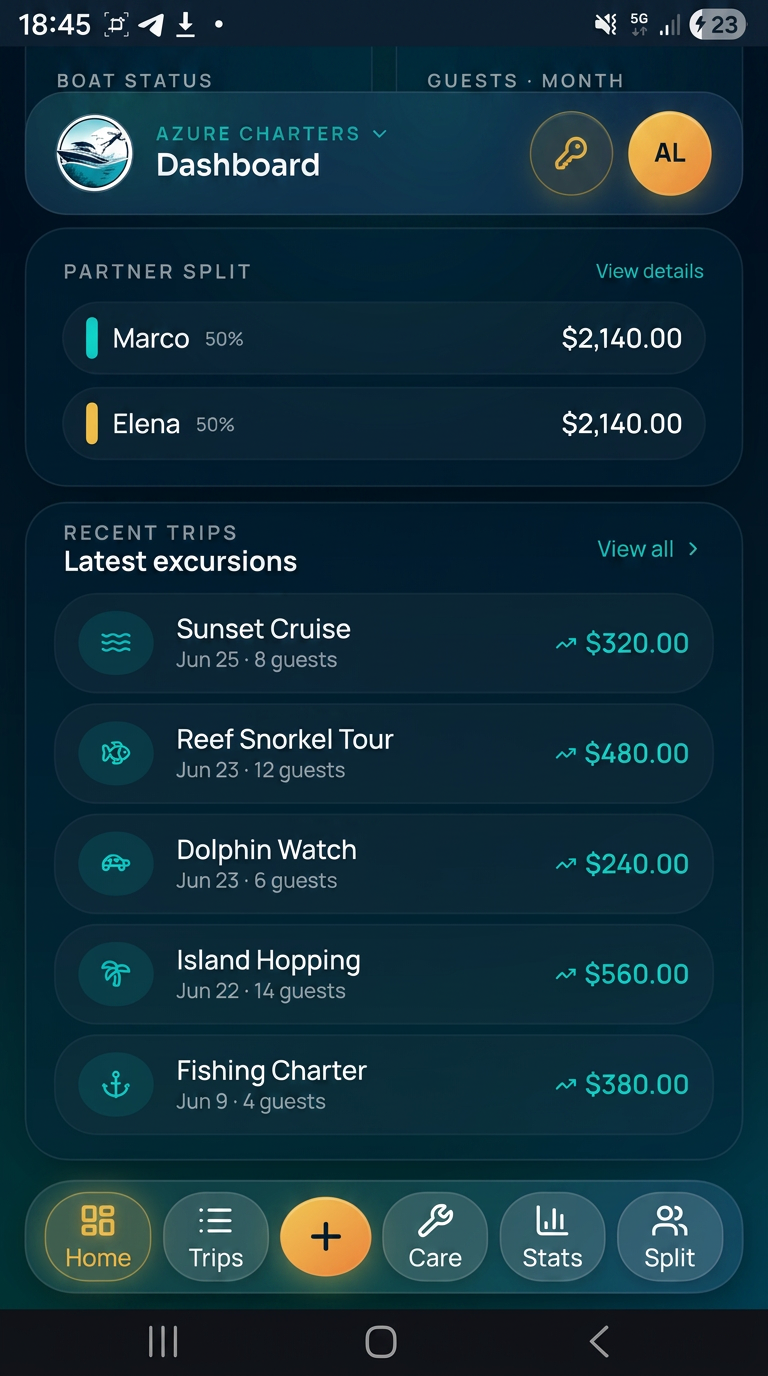
A booking is the customer request and confirmation. A Trip is the operational record — created manually or from a booking that Took Place, and filtered by Excursions, Diving and Watersports.
Boats and Care
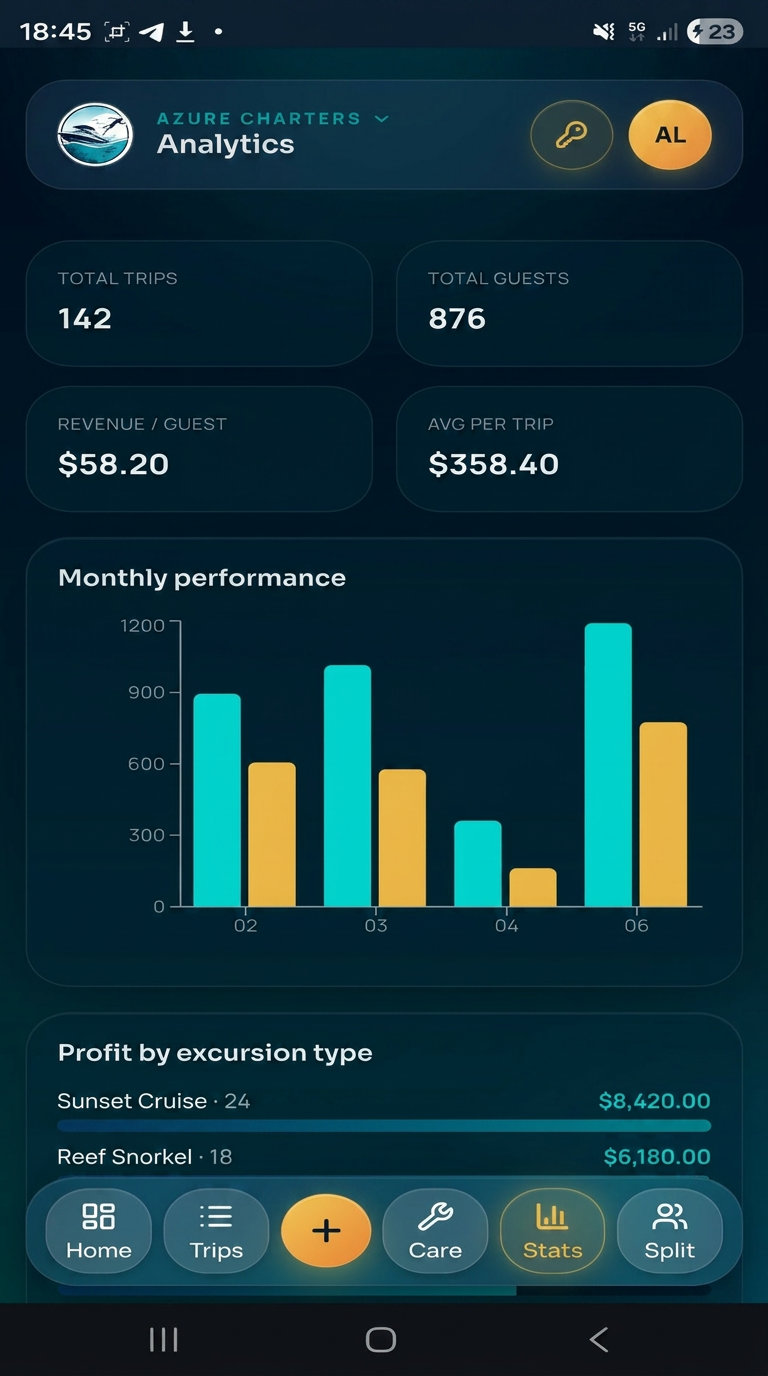
Set what each boat is used for — one or several categories. Record maintenance expenses under General, Excursions, Diving or Watersports and review them month by month.
Finance and profit split
Revenue minus costs and maintenance expenses. A Maintenance Reserve is held back first; the distributable profit is then split across your chosen recipients and percentages.
Dashboard, team and settings
Overall and per-category performance. Owner, Manager, Captain, Crew and Viewer access. Settings cover exchange rate, display currency, appearance, push notifications and account.
Help built into the product.
Excursion Manager helps staff understand verified operator workflows. EXCURSIONS.MV has a separate tourist assistant for supported activity and booking questions. Answers use verified product knowledge, keep private operator information separate and never perform actions for users.
Everything you need. Nothing you don't.
Purpose-built for small operators — not bloated enterprise software.
My Activities
Manage excursion, dive and watersports activities in one catalog, grouped by category.
Booking Requests
Receive and manage customer requests without treating them as automatic confirmations.
Offers & Counter-Offers
Handle Request a Price and Make an Offer, and negotiate according to the booking state.
Shared Trips
Open eligible confirmed bookings for joining and offer remaining capacity to more guests.
Combos & Booking Options
Offer two- or three-excursion combos and collect choices such as the preferred Fishing Type.
Trips
Category-aware operational Trips — created manually or from bookings that took place.
Boats
Manage your fleet and set what each boat is used for: Excursions, Diving, Watersports or several.
Care & Maintenance
Record maintenance expenses by General, Excursions, Diving or Watersports with monthly history.
Payment Tracking
Track provider-side payment status separately from whether a booking is confirmed.
Finance & Profit Split
Revenue, costs, Maintenance Reserve and distributable profit, split across custom percentages.
Dashboard & Analytics
See overall business performance plus category views for the areas you have enabled.
Team & Roles
Owner, Manager, Captain, Crew and Viewer roles provide different levels of access.
Booking Portal
Configure and preview your provider page on Free, then publish it with Pro or an active trial.
QR & Booking Link
With Pro or an active trial, share your live provider link or QR code wherever guests find you.
Push Notifications
Stay informed about important booking activity with in-app and supported push notifications.
Built-in Help Assistants
Workflow guidance from separate operator and tourist assistants that never perform actions.
Excursions. Diving. Watersports.
Enable one category or several in the same workspace. Each gets its own activities in My Activities, and the whole business stays in one place.
Excursions
Boat tours and experiences with capacity, booking options, combos and Shared Trips.
- Excursion types from snorkeling to private charters
- Configurable options such as Fishing Type
- Two- or three-excursion combos
Diving
Dive Activities and Dive Sites with the information divers need before they book.
- Certification requirements and minimum logged dives
- Equipment inclusion and diver information
- Dive Sites with depth, difficulty, current and certification
Watersports
Watersports activities with their own participant requirements and booking information.
- Create and manage watersports activities
- Participant requirements per activity
- Dedicated watersports booking flow for tourists
Share your booking page anywhere.
With Pro or an active trial, one live public link and QR destination presents your published excursions, diving and watersports. Free lets you configure and preview the portal first.
From setup to running trips.
Business Profile
Add your business name, logo and the details guests see.
Business Activities
Enable Excursions, Diving, Watersports — one category or several.
My Activities
Create the activities for each enabled category, plus boats and team.
Booking Portal
Configure and preview it; publish your link and QR with Pro or an active trial.
Tourist bookings
Receive requests, negotiate prices and open eligible bookings as Shared Trips.
Operational Trips
Run the activity, then track payments, costs, maintenance and profit.
Why operators choose Excursion Manager.
Made for small activity operators — not bloated enterprise software.
Less admin, more time on the water
Stop copying numbers between paper, chats and spreadsheets.
Replace spreadsheets & WhatsApp
One clean app instead of five messy tools.
Keep your crew synchronized
Your team works from the same bookings, trips and boats, with access based on role.
Understand your profitability
Track revenue, costs, Maintenance Reserve and your configured profit split.
One workspace, several categories
Run excursions, diving and watersports side by side — from one boat to a small fleet.
Your data stays yours
Your workspace data remains available when a Pro trial ends and you continue on the Free plan.
Get Excursion Manager on your Home Screen.
An installable web app for supported iOS, Android and desktop browsers — no App Store or Play Store download.
Install on iPhone
- 1Open Excursion Manager in Safari.
- 2Tap the Share button.
- 3Scroll down and tap "Add to Home Screen".
- 4Tap "Add".
- 5The app will now appear on your Home Screen just like a native app.
Install on Android
- 1Open Excursion Manager in Chrome.
- 2Tap the three-dot menu.
- 3Select "Install App" or "Add to Home Screen".
- 4Confirm the installation.
- 5The app will now appear on your Home Screen like a normal Android app.
Works like a real app
Excursion Manager is a Progressive Web App (PWA). Once installed, it launches directly from your Home Screen, runs in full-screen mode, stays updated automatically and does not require the App Store or Google Play.
Simple pricing. No surprises.
Start with core operations for free. Upgrade for unlimited growth and a live public Tourist Booking Portal.
Core operations and booking management for a small activity business.
- 1 boat
- Up to 100 total trips
- Up to 3 active activities
- Unlimited draft or inactive activities
- Up to 2 total team members, including the Owner
- Booking management, price requests, offers & counter-offers
- Shared Trips, combos & booking options
- Finance, profit split, payments, maintenance & statistics
- Push notifications & Excursion Manager Assistant
- Booking Portal setup & preview
- Public Tourist Booking Portal not live on Free
For growing operators and a live public tourist booking experience.
- Everything in Free
- Unlimited boats
- Unlimited trips
- Unlimited active activities
- Unlimited team members
- Live Public Tourist Booking Portal
- Live public booking link & QR destination
- 7-Day Free Trial included
Simple, transparent activation.
No credit card on file. No auto-renewal surprises. Pay when you want, extend when you want.
Pay with PayPal
Choose Monthly (€10) or Yearly (€89) on the Upgrade page and pay via PayPal.
Send your Install-ID
Every workspace has a unique Install-ID, one tap to copy. Email it to us together with your PayPal receipt.
Enter your activation code
You receive a personal Pro activation code by email. Enter it once on the Upgrade page — Pro unlocks instantly for your whole team.
Only the workspace owner activates Pro. Every invited team member — Managers, Captains, Crew and Viewers — inherits Pro automatically.
Answers before you ask.
Ready to run a calmer operation?
Start your 7-day free trial today. No credit card required.